Blog
Making calls from your CRM: what it is, what benefits it offers and how to get started
A CRM system remembers almost everything about a customer: the quotations, the invoices, the most recent email correspondence. Last week’s telephone call is usually missing. Not because it wasn’t important, but because it was never recorded in the same place as the rest of the customer information.
That’s a strange blind spot, because for many businesses, the telephone is still the channel where the most important matters are discussed. Research by GetApp shows that 42 per cent of Dutch SMEs now use a CRM system, and that the main benefits users experience are cost savings and improved business operations. But even in companies where the CRM is already well organised, the telephone often remains the missing piece of the jigsaw.
What exactly does a CRM integration do?
At its core, a CRM integration is nothing more complicated than a bridge between your telephone system and your CRM package. The moment a customer calls, the system recognises the telephone number and matches it to the customer record. When an employee answers, that customer record automatically appears on screen: who is calling, what has been discussed previously, and whether there are any outstanding issues. No fumbling around, no need to ask “who am I speaking to?”, just the right context straight away.
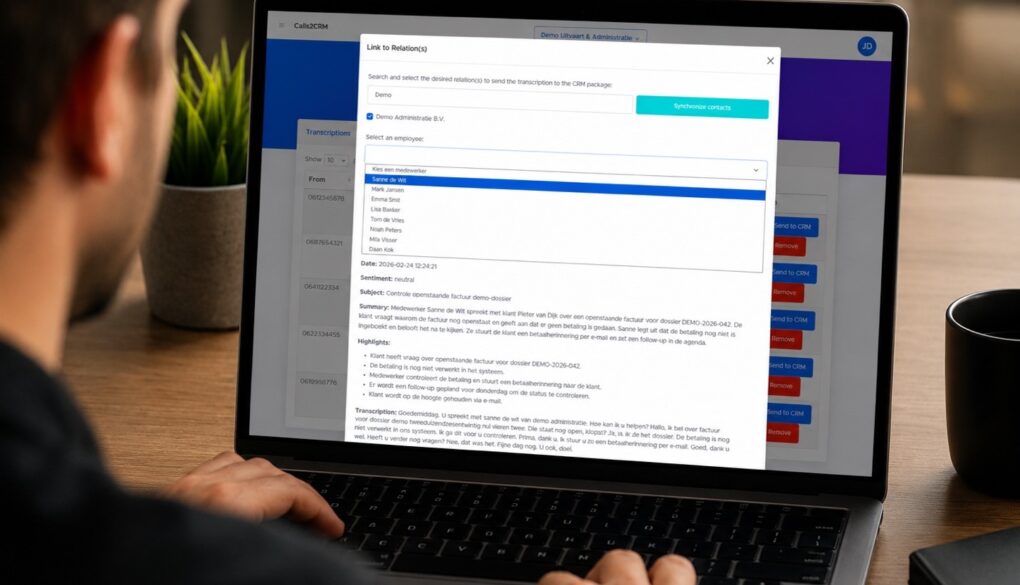
For businesses that want to go beyond mere recognition, there’s a more comprehensive option: the call is transcribed, summarised and automatically linked to the customer profile, complete with a call report. This works with the most commonly used CRM systems, including Simplicate, AFAS, HubSpot and Salesforce. In most cases, the integration is already in place; it’s mainly a matter of configuring it to suit your situation.
What this delivers in practical terms
The most tangible benefit is that it prevents the same conversation from being repeated. If an employee sees that a colleague has already helped a customer with the same query, they simply do not take over the conversation, or they pick up exactly where the previous colleague left off. If an employee is off sick or absent, anyone in the team can simply pick up where they left off, because the conversation history isn’t stored in someone’s head but is recorded in the system.
For businesses where telephone customer contact is a mandatory part of record-keeping – such as for accountants or other advisory professions – this simply saves time: there is no longer a need for a separate call note that has to be manually transcribed into the CRM after every call. And for the customer on the other end of the line, it mainly means they don’t have to keep explaining who they are and why they’re calling.
How to get started
It sounds like an IT project, but in practice it usually isn’t. When setting up a telephone system, we first identify which CRM package a company uses and where the main bottlenecks lie. If a company is already using one of the major CRM systems, the integration is usually already in place and it is mainly a matter of activating it and configuring it to suit their specific situation. Privacy is no afterthought either: call data is recorded and processed in accordance with the GDPR, with clear agreements on what is stored and how.
You don’t have to opt for the full version with transcription straight away either. Many companies start with basic recognition – the customer profile that opens automatically when a call comes in – and later expand to automatic call reports as soon as this adds value.
Ready for the next step?
Are you already using a CRM system, but is your telephony still completely separate from it? If so, there’s a good chance that information is being lost or work is being duplicated on a daily basis, without you even realising it.
Curious to find out what a CRM integration would look like for your system? Book a no-obligation consultation and discover what it could mean for your customer interactions.